How to Use AI to Prepare for Job Interviews: My Complete Guide from Real Experience
Why Using AI Is Your Best Interview Coach
If you’ve ever walked out of an interview thinking, “I wish I had prepared differently,” you’re not alone. I’ve been there—sometimes leaving the room confident, other times knowing I had completely missed the mark.
Over the last couple of years, I found a game-changer: artificial intelligence.
AI is no longer just a tech buzzword — it’s now a 24/7, endlessly patient interview coach that can tailor your preparation to the exact role you’re targeting. Unlike generic interview guides, AI adapts to your needs, your background, and even the specific company you’re applying to.
When I first tried it, I didn’t just feed it random prompts. I provided full context — the job description, the industry, and the company culture. That’s when the magic happened:
-
The interview questions became sharper
-
More relevant
-
Sometimes even harder than the real thing
💡 Lesson learned: The more detail you give AI, the more it can mirror the exact challenges you’ll face in the actual interview.


Feed the AI the Context It Needs
A common mistake is asking AI something vague like, “simulate an interview.” That’s like telling a personal trainer, “help me get fit” without mentioning your goals or fitness level.
Here’s what works for me:
- Paste the full job description into the AI.
- Describe the company — products, market, culture.
- Specify the role level — entry, mid, senior, leadership.
- Request industry-specific focus — avoids irrelevant questions.
Example prompt I use:
“Act as a hiring manager for a Senior Marketing Manager role in the SaaS industry. Use the job description below and the company details I’ve pasted to generate 10 realistic interview questions, one at a time, and give me feedback after each answer.”
✅ Result: Questions that match the tone and complexity of what I’d expect from a real hiring manager — sometimes even tougher.

Simulate Realistic Interviews and Improve Your Responses
When I ran my first AI-powered interview simulation, it felt intense — but in a good way.
By telling the AI exactly who it was “playing” and what role I wanted, I avoided generic, cookie-cutter questions and got prompts that tested my skills in real company contexts.
I also discovered AI’s power in feedback:
-
After answering, I’d paste my response back and say:
“Evaluate my answer for clarity, relevance, and impact. Suggest improvements using the STAR method.”
Example: For “Tell me about yourself”, AI pointed out:
-
Too vague: Highlighted where I lacked detail.
-
Structure: Rearranged for better flow.
-
Keywords: Suggested adding industry-specific terms from the job post.
After a few rounds, my answers were sharper, more confident, and perfectly aligned to the role.

Go from Generic to Memorable: Refining Your Answers
Before AI, my answers were “fine.” But fine doesn’t get you hired.
Instead of saying:
“I managed a small team and improved productivity.”
AI helped me turn it into:
“As a team lead at [Company], I identified workflow bottlenecks (Situation), implemented a new project management system (Task & Action), and within 3 months, team productivity increased by 28% (Result).”
💡 This is the STAR method — and AI is brilliant at helping you apply it.

Research Companies and Industries with AI
No more hours of Googling.
Now, I simply ask:
“Summarize the latest trends in [industry] and how they might affect a [role]. Include 3 recent news stories I can reference.”
Benefits:
-
Saves time searching through irrelevant articles.
-
Gives me timely insights that make me sound informed.
Example: In one interview, I mentioned a recent acquisition the company made — something AI had flagged — and the recruiter said:
“I’m impressed you caught that.”

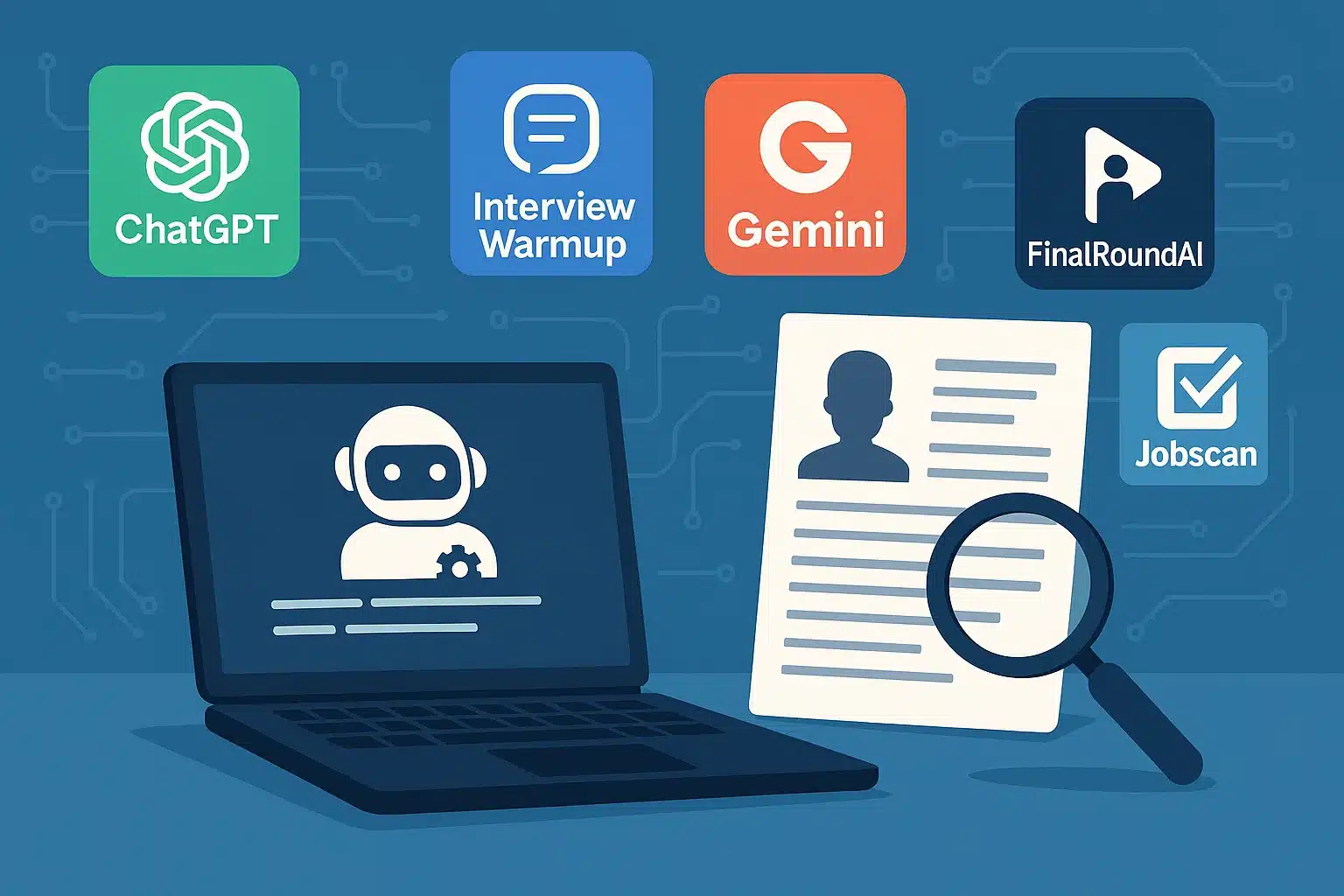
AI Tools Every Job Seeker Should Know 🛠️
From my testing, these are the most effective:
-
ChatGPT / Claude / Gemini → Mock interviews, answer refinement, research.
-
Interview Warmup → Industry-specific practice.
-
Interviewsby.ai → Custom interview simulations based on your resume.
-
FinalRoundAI → Behavioral & situational role-play.
-
Jobscan → Optimizes resumes before interview prep.
Stay Authentic: Use AI as a Coach, Not a Crutch
The biggest lesson: AI should enhance your prep, not replace your voice.
My personal rule:
- Write your first draft answers yourself.
- Let AI refine them for structure, clarity, and keywords.
- Practice out loud to keep them natural.
Overusing AI makes answers robotic — recruiters can tell.

Frequently Asked Questions (FAQ) ❓
1. How can AI help me prepare for a job interview?
AI can simulate realistic interviews, refine your answers, suggest industry keywords, and provide up-to-date company and market insights.
2. What’s the best AI tool for interview preparation?
ChatGPT, Claude, and Gemini are great for mock interviews, while Interview Warmup is excellent for role-specific practice.
3. Should I rely entirely on AI for interview prep?
No. Use AI as a coach, but keep your personality and voice intact for authentic responses.
4. Can AI help me research a company before an interview?
Yes. AI can summarize recent company news, industry trends, and potential talking points to use during the interview.
Final Thoughts and My Proven Tips
AI didn’t just make me more confident — it made me strategic. Now I walk into interviews knowing:
-
What I want to say.
-
How to say it.
-
How to tailor it to the company and role.
Key takeaways:
-
Be specific in your prompts — the more context, the better.
-
Refine, don’t replace your authentic voice.
-
Combine AI feedback with real-world practice.
-
Research is non-negotiable.
💡 Bottom line: AI can’t guarantee the job — but it can make you the most prepared person in the room.